
Know your checkout works before your customers do.
Elyxa shops your online store like a real customer, every hour, around the clock. When a step in the buying journey breaks, you get an email that names the step, with a screenshot.
Build. Optimize. Grow.
A 36 second walk through a check, a failure and an alert. Store shown is a sample.
Your home page can be up while nobody can buy.
Uptime tools ask one question: does a page answer? A shopper asks a harder one: can I log in, find a product, add it to the cart and pay? A broken add to cart button, a failed login or a payment page that never opens loses orders quietly, and often nobody notices until the sales report looks thin.
How it works
Set it up once. Elyxa does the shopping, so your team does not have to.
Add your store
Give Elyxa the store address and a dedicated test customer account. Pick how often to check.
Elyxa shops it
A real browser walks the journey from home page to the payment gateway, just like a customer.
You see every step
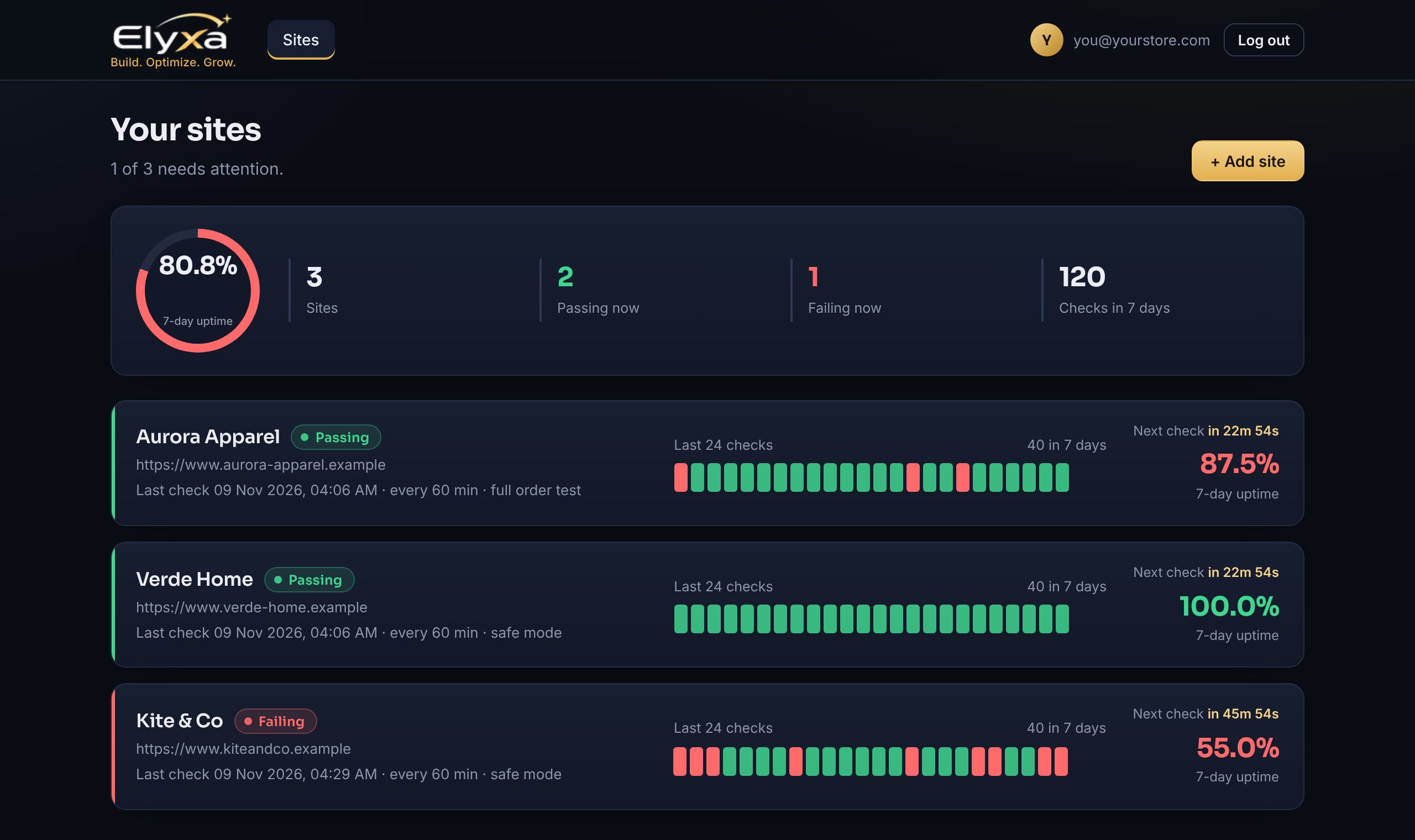
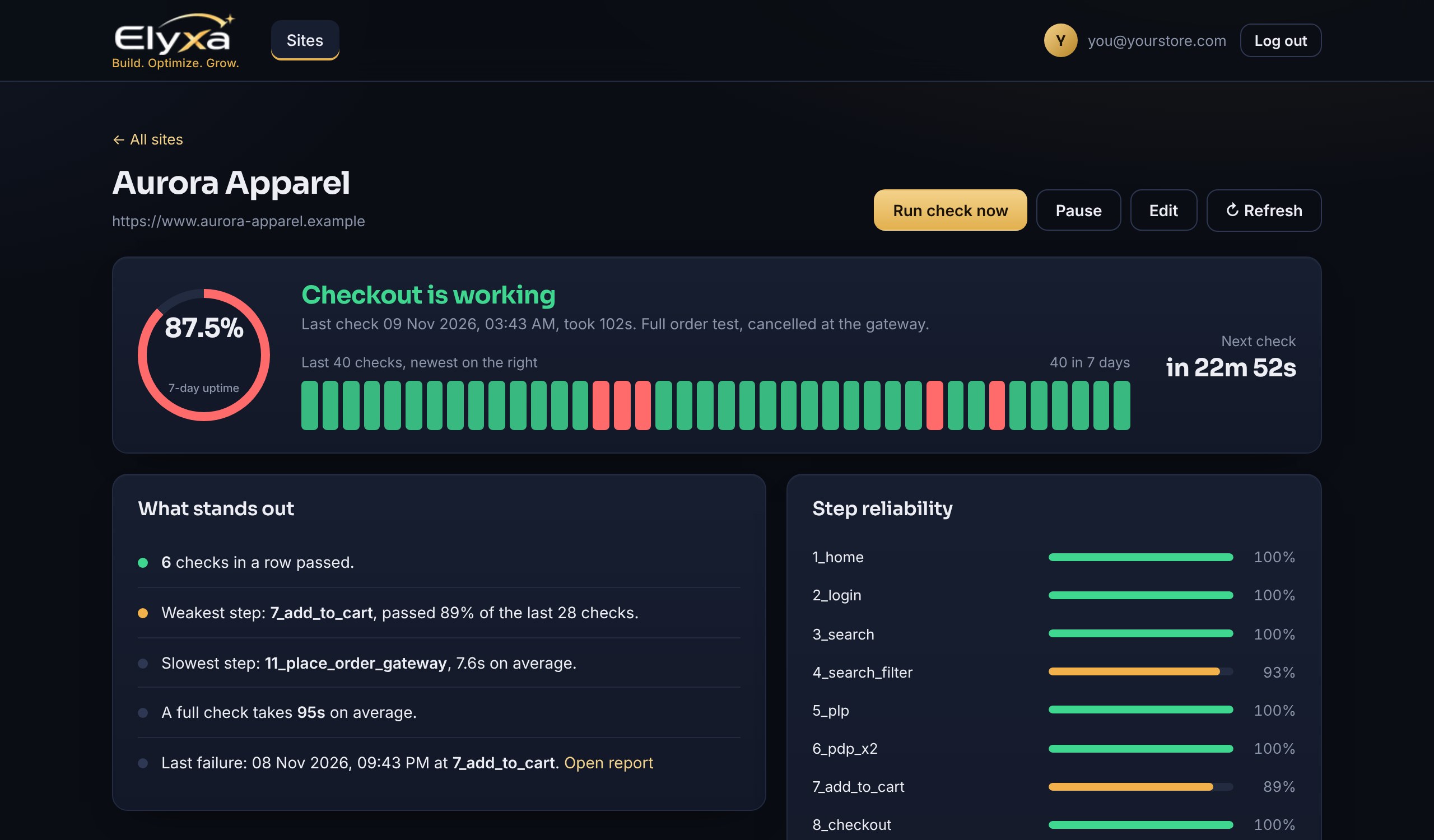
A live dashboard shows each step, how long it took and how the last checks went.
You hear about problems
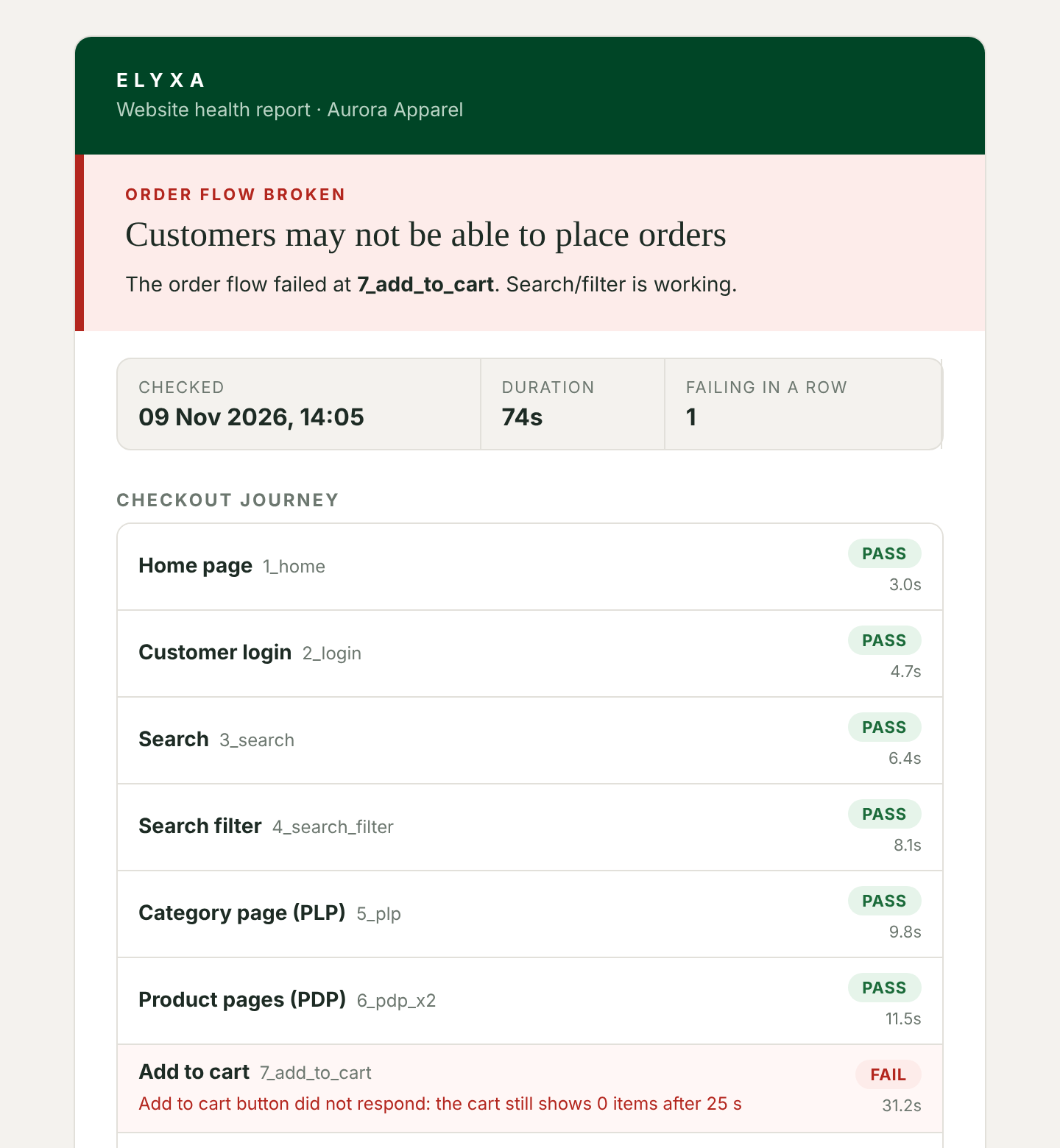
If a step fails, an email arrives naming it, with a screenshot. One more email tells you when it recovers.
Built for the buying journey, not the home page.
Most monitoring answers “is the site up?” Elyxa answers “can a customer buy?”
| Elyxa | Uptime and ping monitors | Script-based synthetic tools | |
|---|---|---|---|
| What it checks | ✓The full journey from login to the payment gateway | –Whether a page responds | –Whatever steps you script |
| Setup | ✓Add the store and a test account. The checkout journey is already built in | –Enter a URL | –Usually needs someone to write and maintain test scripts |
| Where it stops | ✓Reaches the payment gateway and cancels. No card details, no money moves | –Never reaches checkout | –Depends on how the script is written |
| When something breaks | ✓Names the failed step, with a screenshot, in plain language | –“Site down” or “slow” | –A failed script line or log |
| Daily summary | ✓Each day: what passed, what failed, how long customers could not buy, and which steps ran slower than usual | –Uptime percentage | –Varies by tool |
| Who it is for | ✓Store owners and ecommerce teams, no engineers needed | –Anyone with a website | –Engineering and QA teams |
Comparison describes the general categories of monitoring tools, not any single product. Features vary by vendor, so check the tools you use today.
What you see
One place to read the health of your store, and an email only when it matters.
What you get from it
Find problems first
Hourly checks mean you hear about a broken step in minutes or hours, not when customers complain.
Protect sales
The daily summary shows how long the order flow was down, so the cost of an outage is clear.
Fix faster
The alert names the step and shows a screenshot. Your developer starts at the right place.
Catch slowdowns early
Each day Elyxa lists steps that ran noticeably slower than their usual speed.
No noise
A passing check sends nothing. You get an email for a failure, one when it recovers, and one daily summary.
No work for your team
No scripts to write or update. Elyxa is hosted, so there is nothing to install.
Safe to run on a live store.
Elyxa is careful by design, so a check never costs you an order.
- Never enters card details. The check stops when the payment gateway page opens.
- Cancels what it starts. In full mode the test order is cancelled at the gateway.
- Uses a dedicated test customer. Your real customers and their data are not touched.
- Works with your security. Allow-list our monitoring address and the checks run cleanly.
Safe mode
Walks the journey up to the cart and checkout. It never places an order.
Full mode
Goes on to the payment gateway page and cancels there, proving the whole path works.
Platforms
Works with Magento stores today. Shopify support is in development.
Questions
Does it place real orders?
No. In safe mode it never places an order. In full mode it stops at the payment gateway page and cancels. It never enters card details.
How often does it check?
You choose the interval for each store. A full check takes a few minutes, so hourly is a common choice.
What do I need to start?
Your store address, a dedicated test customer account, and permission to allow-list our monitoring server address if your site uses bot protection. We help with the rest.
Who gets the alerts?
Any email address you set for each store, so the right person hears first. It can be changed at any time.
Will I get flooded with emails?
No. Passing checks send nothing. You receive an alert for a failure, a recovery notice, and one daily summary.
Which platforms are supported?
Magento today. Shopify support is in development. Tell us what you run and we will let you know.
Can I monitor more than one store?
Yes. Each account can hold several stores, each with its own schedule and alert address.
See Elyxa check a store.
Tell us about your store and we will show you a live check, step by step.
icare@elyxa.in